How to set up emergency contacts for an older relative
If an older family member lives alone, or spends time at home while you are away, knowing they can call for help quickly brings real peace of mind. A family monitored medical alarm is designed for exactly this situation: it lets the person press a button or speak into a pendant, and the system contacts you or another trusted person straight away. But the alarm is only as reliable as the contact list behind it. Setting up emergency contacts properly means thinking about who will respond, how they will be reached, and what happens if the first person does not answer. Here is how to do it step by step.
Start with the person who will be the primary contact
The first step is to choose one main contact. This is the person the alarm will call first when the older relative presses the SOS button or the system detects a fall. Ideally it is someone who lives nearby, answers their phone most of the time, and can get to the house within a reasonable time. If the nearest family member works shifts or often has their phone on silent, think carefully before naming them as the primary contact. You want someone who will pick up.
When you enter the number into the alarm system, use the mobile number that person carries with them, not a landline. Most alarms send SMS alerts and voice calls to a mobile, so a landline that sits in an empty house is useless. If the primary contact has a work phone that they always have on them, use that instead of their personal mobile. The key is reachability, not convenience.
Add at least two backup contacts
Even the most reliable person can miss a call. The phone battery dies, they are in a meeting, or they are driving and cannot answer. That is why the system should have a second and third contact. The order matters: the alarm will try the first contact, then the second, then the third, usually cycling through the list until someone responds.
For backup contacts, choose people who are also nearby, or who can coordinate help from a distance. A neighbour who has a key and knows the older relative well is a good second choice. A sibling who lives in another city but can call the local emergency services or a neighbour is a reasonable third. Just make sure every backup contact knows they are on the list, knows what to do when called, and has agreed to be on standby.

One common mistake is adding someone who is elderly themselves and might not hear the phone, or someone who lives overseas in a different time zone. While they can still help in a crisis, they should not be the first or second contact if a faster local option exists. Think about response time, not just willingness.
Write down what each contact should do
When the alarm system sends an alert, the contact receives a notification. What they do next depends on the situation. A clear plan avoids confusion. For each contact, write a simple set of instructions: if you get an alert, first call the older relative to check if they are okay. If they do not answer, or if they say they need help, call 111 (the New Zealand emergency number) and then let the family group know. If you are the primary contact and you cannot respond, pass the alert to the next person on the list.
These instructions should be stored where the contact can find them quickly. Some families put them on the fridge, others keep them in a shared digital note. The important thing is that the plan is the same for everyone, so no one has to guess what to do. And because the alarm system sends an SMS alert with the details, the contact can act immediately without logging into an app or checking a website.
The system itself typically sends alerts sent to trusted family as a text message or a phone call. That means the contact does not need to be constantly watching a screen. They will know something is happening the moment their phone buzzes.
Test the setup before you rely on it
Once the contact list is saved, test it. Ask the older relative to press the SOS button on their pendant while you are in the same room. Watch what happens. Does the system call the primary contact's phone? Does it send the SMS? Does it try the next number if the first one does not answer? This test should be done during a time when everyone on the list is expecting a call, and it should be done at least once a month after that.
During the test, check that the contact numbers are still active. People change phones and providers, and old numbers get reassigned. A number that worked last year might now belong to someone else. Also check that the SMS messages are not being filtered into a spam folder. Some phone carriers treat automated SMS as bulk messaging and block or delay it. If the primary contact uses a prepaid SIM, make sure it has credit. A number that cannot receive texts is not a working contact.
Keep the contact list up to date
Life changes. A contact moves, changes jobs, or stops carrying their phone. The older relative's health or living situation may change too. Every three months, review the list. Ask each person if they still want to be a contact and if their number is still the best one to use. Remove anyone who no longer wants the responsibility, and replace them with someone else. A stale contact list is worse than no list, because it creates a false sense of security.
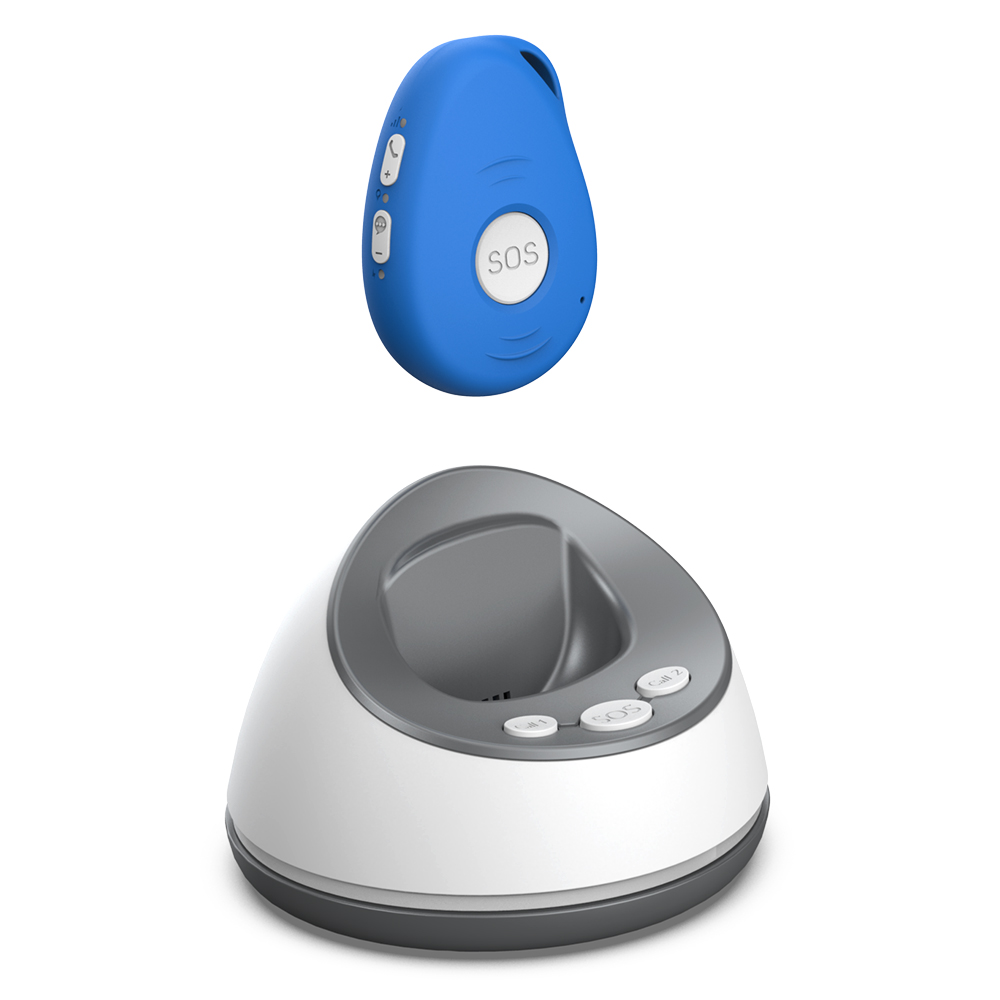
Some family monitored medical alarm systems let you update the contact list through a web portal or a phone call. Others require you to contact the provider. Whichever method your system uses, make the update as soon as something changes. Do not wait until the next quarterly review if a contact moves overseas or loses their phone.
Think about the older relative's role in the process
The person wearing the alarm should know how it works and what to expect. They should understand that pressing the SOS button will send alerts sent to trusted family, not to a stranger in a call centre. That can be reassuring: the alarm is not a black box, it is a direct line to someone they know. Show them how to press the button and how to speak into the pendant for two-way voice calls. Let them know that if they fall and cannot press the button, the fall detection feature may trigger an alert automatically.
Also talk to them about what happens after the alert. They might feel embarrassed if the alarm goes off accidentally, or they might worry about bothering people. Explain that the contacts are happy to help, and that a false alarm is better than no alarm. Reassure them that the system is there to give them independence, not to control them.
Consider time of day and weekday patterns
A contact who is available during the day might be unreachable at night. A retired neighbour might be home all day but asleep by 9 pm. A working adult might be available during lunch but not during meetings. For each contact, think about when they are most likely to answer. If the primary contact works night shifts, their daytime availability might be limited. Adjust the contact order to match the older relative's typical daily schedule.
Some alarm systems let you create time-based rules, like sending alerts to one person during the day and another at night. If your system supports that, use it. If not, at least make sure the first contact is someone who carries their phone at the times the older relative is most active. A fall at 3 am is rare, but if it happens, the system should still reach someone.
Keep a physical backup list
In case the alarm system itself fails, or the older relative is somewhere without their pendant, keep a printed list of emergency contacts near the phone or on the fridge. Include the same numbers that are in the alarm system, plus the local 111 number. This list is a fallback: if the person can reach a phone, they can call someone directly.

Make sure the list is in a large, readable font and is placed where it can be seen easily. A laminated card taped to the wall near the landline phone works well. Update it whenever the digital contact list changes. A mismatch between the printed list and the alarm system can cause confusion in a real emergency.
Review the whole system with a family meeting
Once the contacts are set and the alarm is working, gather everyone involved for a short meeting. This can be in person or over a video call. Go through the contact list, the plan of action, and the testing schedule. Let each person ask questions. Make sure everyone knows that they are part of a safety net, and that their role is valued. A family monitored medical alarm works best when the family works together.
By taking the time to set up emergency contacts carefully, you turn a piece of technology into a reliable support system for someone you love. The numbers on the list are not just phone numbers: they are the people who will respond when it matters most.
Ends · AGINGATEASE